¶ Ampito MS User Guide
¶ Welcome to Ampito MS
Ampito MS is your dashboard for managing projects, users, purchase orders (POs), and workflow statuses. This guide will help you navigate the system and use its features effectively.
¶ 1. Logging In
- Open your web browser and go to https://ms.ampito.com.
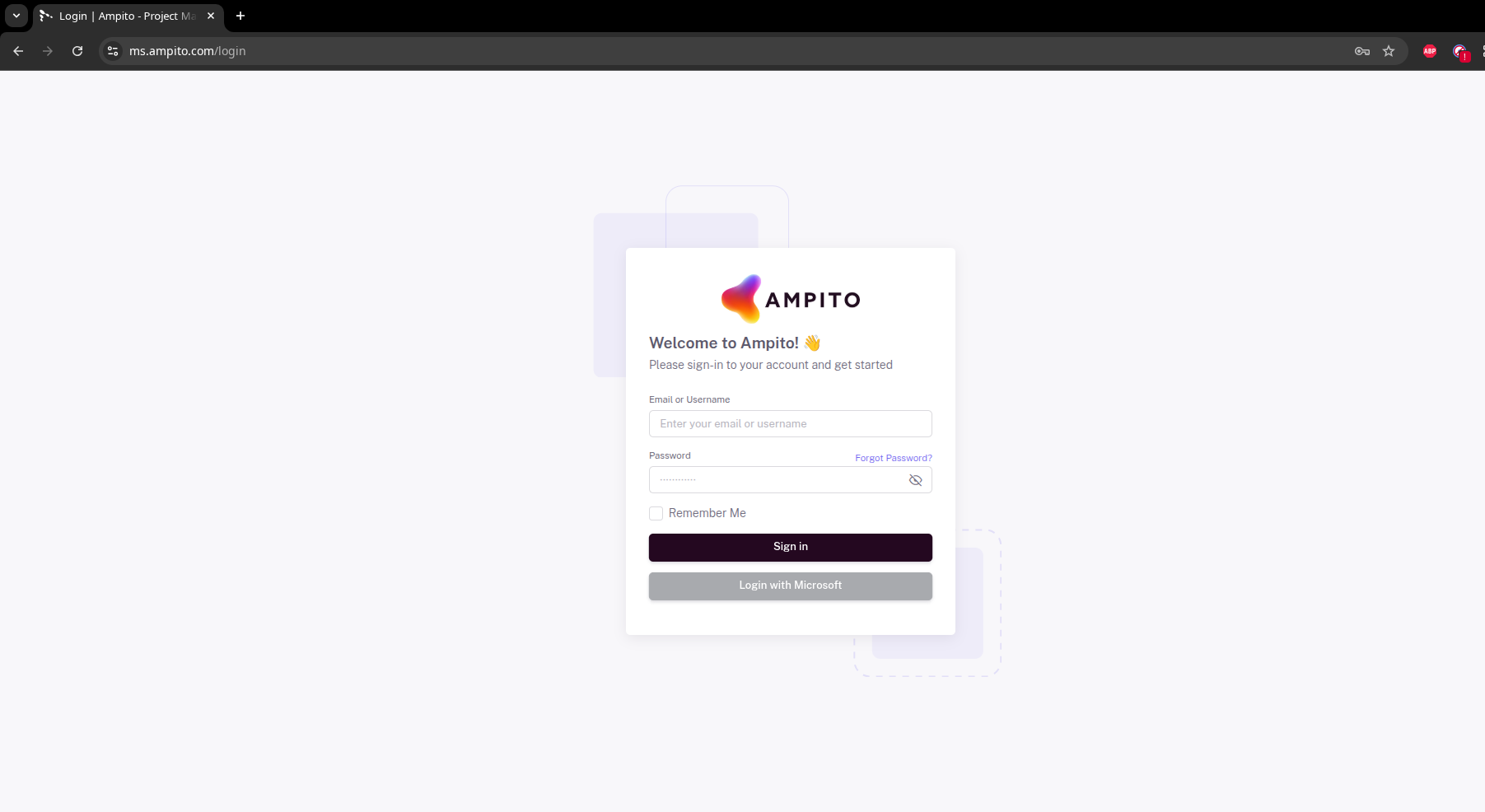
- Enter your username and password.
- Click Login to access the dashboard.
- Once logged in, you will see the Dashboard.
¶ 2. Dashboard Overview
The Dashboard gives you a quick view of all your purchase orders and workflow status.
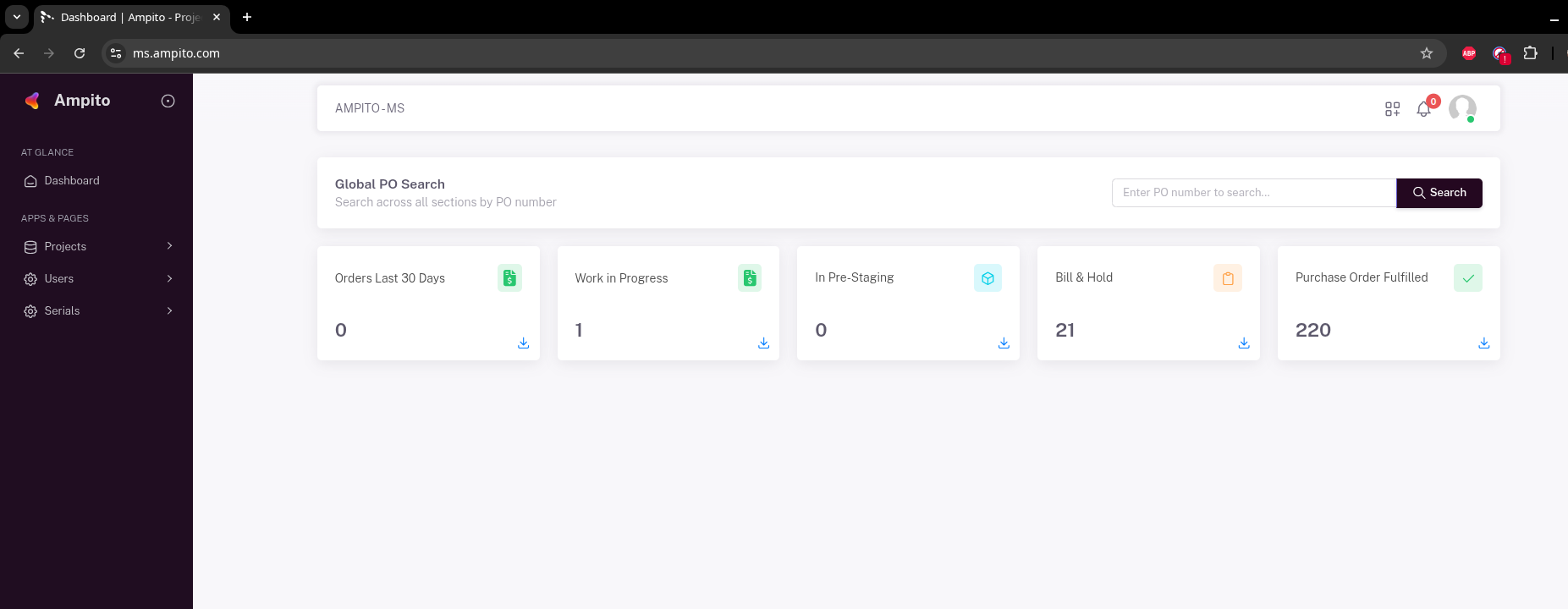
¶ Global PO Search
Purpose: Search for any PO by its number.

How to Use:
- Enter the PO number in the search box (e.g.,
PO725610). - Click Search.
Result: Displays a list of orders matching the PO number.
¶ Status Cards
The dashboard displays key metrics in cards:

| Card Name | What it Shows |
|---|---|
| Orders Last 30 Days | Number of POs placed in the last 30 days |
| Work in Progress | Orders currently being processed |
| In Pre-Staging | Orders in pre-staging stage |
| Bill & Hold | Orders on hold for billing |
| Purchase Order Fulfilled | Completed orders |
Click the download icon on each card to export the data.

¶ 3. Navigation
Use the sidebar on the left to access the different sections of Ampito MS:
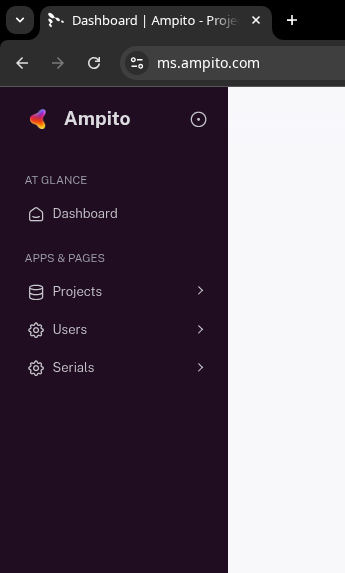
- Dashboard – Main overview of all POs and metrics
- Projects – View and manage all projects
- Users – Manage users and their roles
- Serials – Track serial numbers for orders and inventory
¶ 4. Searching and Viewing POs
- Use the Global PO Search at the top of the dashboard.
- Enter the PO number you want to find.
- Press Search.
Results will populate below the search box (in Orders or Pre-Staging sections).
Tip: If no results appear, double-check the PO number or try a partial search.
¶ 5. Purchase Order Details
Clicking a PO from the dashboard opens the Purchase Order Details page.
This page provides full visibility into the project, delivery, staging, shipping, and internal workflow status.
¶ Header Actions
At the top of the page, you can:
- ← Back to Dashboard – Return to the main dashboard
- View Documents – Access uploaded PO and related documents
- View Serial Numbers – View serials associated with the PO
- Search attributes… – Quickly search within PO fields
¶ Key PO Information
| Field | Description |
|---|---|
| Project Name | Name of the project linked to the PO |
| Morgan Stanley PO Number | Official MS PO reference (e.g. PO725610) |
| Morgan Stanley Requestor | MS contact person |
| PO Received To Ampito Date | Date Ampito received the PO |
| Project Deadline | Target completion date |
| Initial ETA | ETA at the time of order receipt |
| Current ETA | Latest estimated timeline |
| Project Status | Current state of the project (e.g. Open) |
¶ Delivery & Location Details
| Field | Description |
|---|---|
| PO Delivery Destination | City / location |
| Region | State / country |
| PO Delivery Address | Full shipping address |
| Confirmed Shipping Address | Final confirmed delivery address |
| Order Shipped | Indicates if shipment has occurred |
| Delivery ETA | Expected delivery date |
| Delivered | Indicates if order has been delivered |
| Proof of Delivery Provided | Confirms POD availability |
| Name of Signatory | Recipient name on POD |
¶ Pre-Staging & Bill and Hold
| Field | Description |
|---|---|
| Is Pre-Staging Required | Indicates if pre-staging is needed |
| Is Pre-Staging Call Required | Indicates if a call is required |
| Pre-Stage Document Required Date | Due date for documents |
| Pre-Staging Start Date | Date Ampito started pre-staging |
| Pre-Staging Complete | Completion status |
| Order Agreed Under Bill and Hold | Indicates Bill & Hold agreement |
| Kit Ready To Ship | Confirms readiness for shipping |
¶ Vendors & Distributor
| Field | Description |
|---|---|
| Distributor | Assigned distributor (e.g. Ingram US) |
| Ampito PO To Distributor | Ampito-issued PO reference |
| Number of Vendors | Vendors linked to the PO |
| OEM Sales Order | OEM order reference |
| Part Shipment | Indicates partial shipment |
| Part Shipment Agreed | Confirms agreement for partial shipment |
¶ Notes & Next Actions
The Next Action and Notes sections provide a running timeline of updates, communication, and decisions, for example:
- Order received and in progress
- Confirmation requests for shipping address
- Hold requests and follow-ups
These notes are critical for tracking progress and understanding current blockers or dependencies.
¶ Internal Information (Ampito Use Only)
Note: The following data is for internal use only and may not be relevant for all users.
This section includes operational and logistics fields such as:
- Quarter Delivery
- Hardware reroute details
- Vendor shipping status
- Kit location post vendor ship
- License allocation
- Ship or storage decisions
¶ 6. Exporting Data
Each dashboard status card includes a download icon.
Click the icon to export the data in your preferred format.
¶ 7. Common Errors & Troubleshooting
- No results after search: Make sure the PO number exists in the system
- Dashboard metrics not updating: Refresh the page and try again
- For technical issues, contact your IT administrator
¶ 8. Footer & Support
- Dashboard footer displays:
© 2026, Ampito – Morgan Stanley - For additional help, contact support@ampito.com